 Rarrot
git常用命令
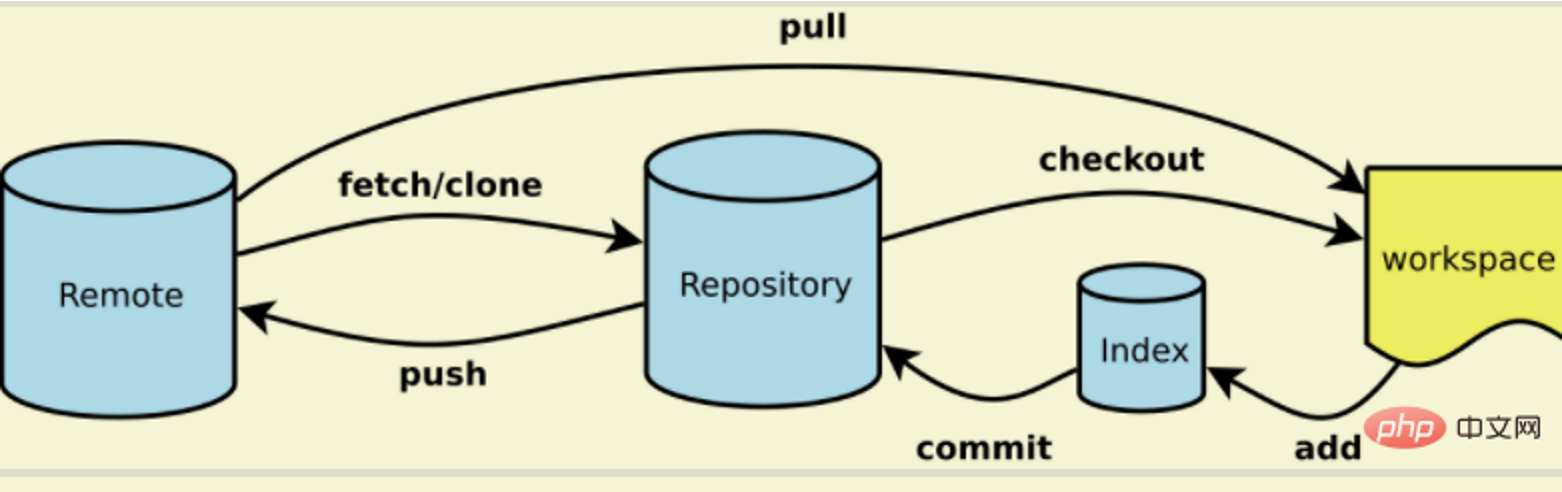
Git 命令清单及个别专用名词的译名如下:
Workspace:工作区
Index / Stage:暂存区
Repository:仓库区(或本地仓库)
Remote:远程仓库
来自 <https://m.php.cn/tool/git/464354.html>
简易的命令行入门教程
shell
Git 全局设置:

git config --global user.name "你的github/gitee仓库名"
git config --global user.email "你的email"

创建 git 仓库:

mkdir myware
cd myware
git init
touch README.md
git add README.md
git commit -m "first commit"

git remote add origin  [https://gitee.com/hr121/myware.git](https://gitee.com/hr121/myware.git)

git push -u origin "master"

已有仓库?

cd existing\_git\_repo
git remote add origin [https://gitee.com/hr121/myware.git](https://gitee.com/hr121/myware.git)

git push -u origin "master"


git pull origin master(仓库名)


创建分支用git branch+仓库名,显示本地所有分支git branch

切换分支用git checkout +仓库名防止在我们提交前别人也已经作了修改,在上传前,先切换到主干分支,我们一般要先主干分支上的代码拉取下来,也就是git pull之后再git checkout切换至开发分支(非主干分支),进行git merge master,与主干分支进行合并,再次切换至主干分支,进行代码的推送。
一些常用git命令
shell
git log查看提交日志

git status查看当前仓库状态,即是否还有改动的但未提交的

git diff 查看文件被修改了什么

git revert HEAD撤回最后一次提交,生成一次新的提交,本地文件仍然存在遇到问题
errno 10054
遇到了: OpenSSL SSL_read: Connection was reset, errno 10054
shell
git config --global http.sslVerify "false"port 443: Timed out
遇到了Failed to connect to github.com port 443: Timed out
使用命令
shell
git config --global --unset http.proxy

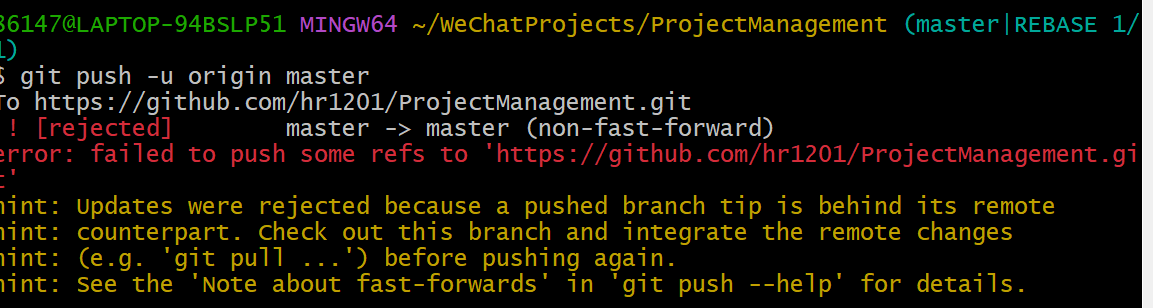
git config --global --unset https.proxyfailed to push refs
关于git出现此问题的解决办法:
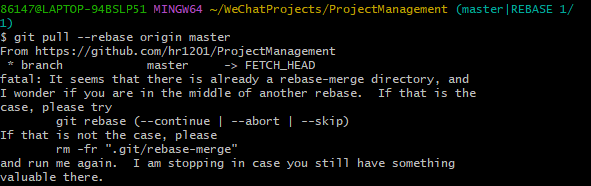
使用git pull --rebase origin master远程文件拉到本地进行比较:
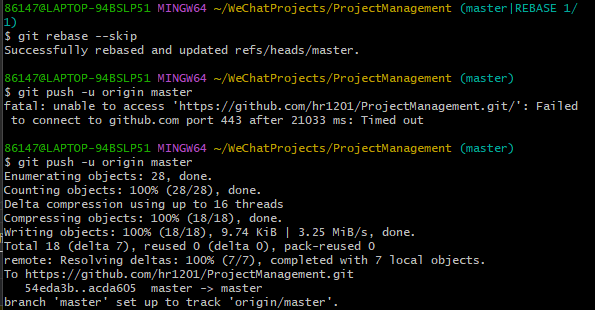
在本地解决冲突后,使用git rebase --skip进行跳过此阶段,之后在进行push,即可成功上传
最近还是会出现上述问题,解决方式:
shell
git remote set-url origin git@github.com:hr1201/hr1201.github.io.git